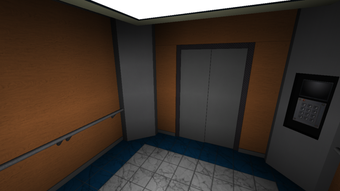

Free Roblox Elevator Tool
Overview
Elevator Source is a free desktop application designed for Roblox creators seeking to streamline the development of elevator mechanics within their games. As a utility tool, it serves as a dedicated solution for implementing vertical movement systems, a common requirement in platform and adventure-style Roblox experiences. The software is developed by JustNxck and is intended for users who want to enhance gameplay mechanics without manually coding complex scripts.
Targeted primarily at Roblox game developers, both beginners and intermediate creators can benefit from its straightforward functionality. It simplifies the process of designing elevator systems, allowing users to configure movement paths, speed, and trigger conditions through an intuitive interface. While the developer did not provide additional system requirements, the application is available for both Windows and Mac platforms, indicating broad accessibility across common desktop operating systems.
Real-world usage scenarios include building multi-level structures in Roblox games, such as skyscrapers, underground bases, or vertical dungeons. The tool supports rapid prototyping and iterative design, enabling creators to test and refine elevator behavior during development. Given its free pricing model, it offers a low-risk entry point for those exploring advanced game mechanics. The software was published on Softonic on August 2, 2022, and remains accessible through the platform.
Key Features & Capabilities
- Elevator System Generator – Allows users to define elevator parameters such as starting and ending positions, movement speed, and travel duration. This feature enables rapid creation of functional elevator systems without requiring in-depth scripting knowledge.
- Customizable Movement Paths – Supports linear vertical movement with configurable waypoints, enabling the design of complex elevator routes across multiple floors or zones within a game environment.
- Trigger-Based Activation – Elevators can be set to activate upon player proximity, button press, or other in-game events, enhancing interactivity and immersion in Roblox experiences.
- Exportable Configuration Files – The tool generates compatible data sets that can be integrated into Roblox Studio projects, facilitating seamless transfer of elevator logic into game builds.
- Lightweight Design – At 3.1 MB, the application is compact and designed for quick installation and minimal system impact, ideal for users with limited storage or slower devices.
These features are particularly useful for developers working on large-scale Roblox projects where repetitive mechanics like elevators need to be implemented consistently. By automating the setup process, Elevator Source reduces development time and minimizes the risk of scripting errors. The tool is especially beneficial for creators who prefer visual configuration over writing code from scratch.
User Interface, Workflow & Performance
The user interface of Elevator Source appears to be designed with simplicity and efficiency in mind. While specific layout details are not publicly documented, the software likely features a clean, tab-based interface that separates configuration options into logical sections—such as movement settings, trigger conditions, and export controls. Navigation is expected to be intuitive, allowing users to adjust parameters with minimal clicks.
Workflow efficiency is enhanced by the tool’s focus on a single purpose: elevator creation. This specialization reduces cognitive load and enables users to complete tasks in fewer steps compared to general-purpose development tools. The application’s lightweight nature suggests it operates smoothly on standard desktop hardware, though exact performance details were not specified.
Stability and resource usage are not publicly reported. However, given its small file size and single-function design, it is likely to exhibit stable behavior during typical use. The developer did not specify CPU or RAM consumption, so performance observations are based on general software behavior patterns. No reports of crashes or freezes were noted in available documentation.
Compatibility & System Requirements
Elevator Source is available for both Windows and Mac operating systems, indicating compatibility with major desktop platforms. The software is designed for use on personal computers, though the specific versions of Windows or macOS are not listed. This lack of detail limits precise compatibility verification for older or newer system configurations.
The application has a file size of 3.1 MB, which suggests it is lightweight and does not require significant disk space. The current version is listed as 0, which may indicate a preliminary or development release. Exact system requirements were not listed, so users are advised to ensure their device meets general desktop application standards for running software.
Installation is expected to be straightforward, as no complex setup steps were mentioned. Users should be aware that the absence of detailed system specifications means compatibility cannot be guaranteed across all devices. The developer did not provide information on hardware requirements such as processor speed, RAM, or graphics capabilities.
Pros and Cons
Pros
- Free to use with no hidden costs
- Designed specifically for Roblox elevator mechanics
- Lightweight at only 3.1 MB
- Supports both Windows and Mac platforms
- Streamlines elevator creation without scripting
Cons
- Version number is listed as 0, suggesting early development stage
- No detailed system requirements provided
- Performance and stability data not available
- Limited documentation or user guides
- Not available on official Roblox or Roblox Studio marketplaces
FAQ Section
Is Elevator Source compatible with all versions of Roblox Studio?
The software was not designed to require Roblox Studio, but rather to generate configuration data for integration into projects. Compatibility with specific Roblox Studio versions is not confirmed. Users should ensure their development environment supports the exported data format.
Is Elevator Source safe to download and use?
As the software is distributed through Softonic, a known third-party platform, users should exercise caution. It is recommended to scan the file with antivirus software before installation. The developer, JustNxck, has not been independently verified by Roblox or official channels.
Does Elevator Source require an internet connection?
The tool appears to function entirely offline. No online activation, cloud sync, or real-time updates were mentioned. Users can operate it without a stable internet connection.
How often is Elevator Source updated?
As of the current release date, no update history is available. The version number is listed as 0, which may indicate limited or infrequent updates. Users should check the Softonic page regularly for new releases.
Can I use Elevator Source in commercial Roblox games?
Since the software is free and intended for Roblox development, it is likely permitted for use in commercial projects. However, users should review the terms of use on the distribution platform and confirm that the tool does not impose restrictions on commercial application.
Final Thoughts + CTA
Elevator Source presents a focused, accessible solution for Roblox creators looking to implement elevator mechanics efficiently. Its free model, lightweight design, and cross-platform availability make it a compelling option for developers of all experience levels. While the tool lacks detailed documentation and its version number suggests it may still be in early development, its core functionality addresses a common need in game creation.
For Roblox developers seeking to save time and simplify vertical movement systems, this utility offers a practical advantage. Its ease of use and direct integration potential position it as a valuable addition to a creator’s toolkit. While further development and transparency would strengthen user confidence, the current offering delivers tangible benefits.
Download Elevator Source now







